Building Better Experiences
A Quick Guide to Running The Design Sprint 2.0
The Design Sprint was created by Google years ago to collaborate with the team, gather requirements, and ensure the best possible end user experience. I've used this technique in a number of projects, and found that these workshops significantly reduce future revisions and blockers. I've compiled a quick guide of steps I've found valuable when running a design sprint.
Step 1: User Research/User Interviews
User interviews give us critical insights into the current user flow. Even if we don't want to copy the existing process, there IS a process that users are currently following to get to their end goal. What are the must-haves that users need to accomplish their goal? What do they like about the current process that we can incorporate? What are the pain points that we can improve upon? Understanding how the system currently works allows us to build a better experience going forward.
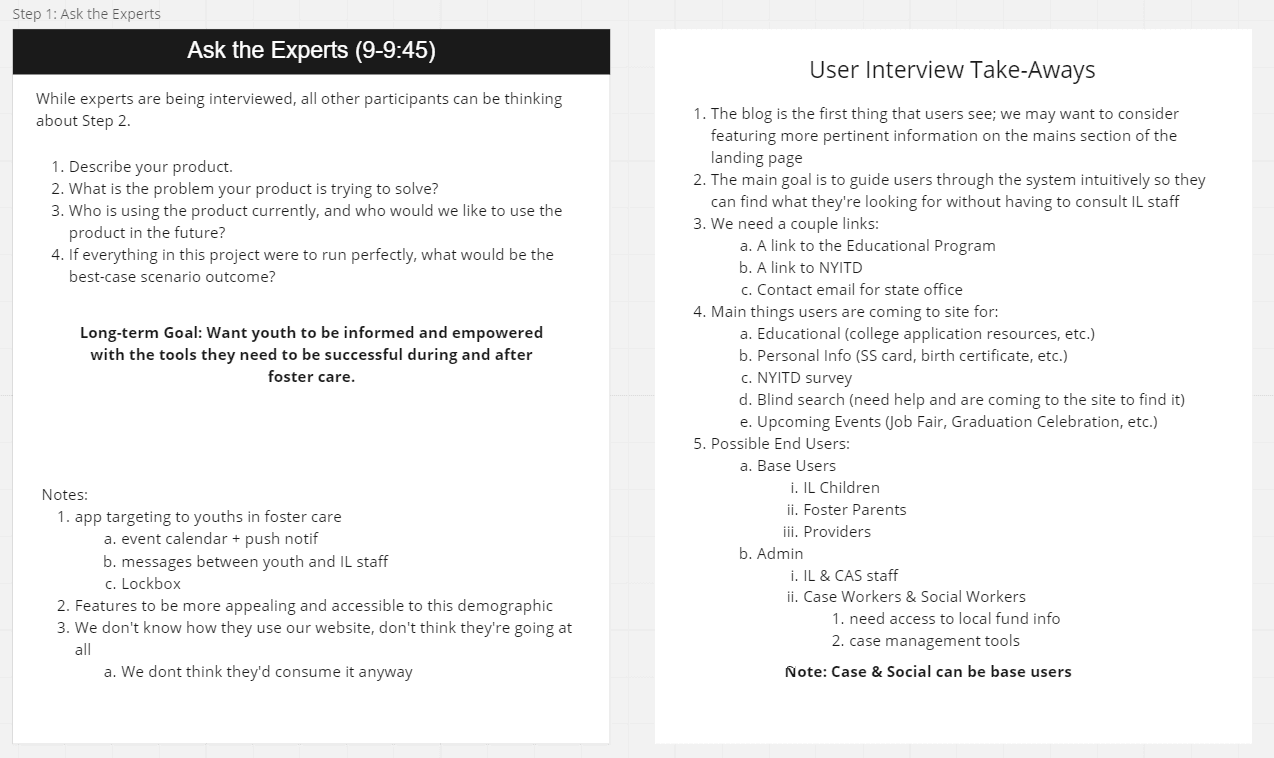
Step 2: Ask the Experts
This is a stakeholder interview that happens in the actual workshop. Below is an example of an expert interview that happened during a design sprint. The purpose of this is to get to the Long Term Goal. The most essential question is: "If everything in this project were to run perfectly, what would be the best-case scenario outcome?" We want actual outcomes here. "Users adopt our new system SO THAT they purchase more of our product."
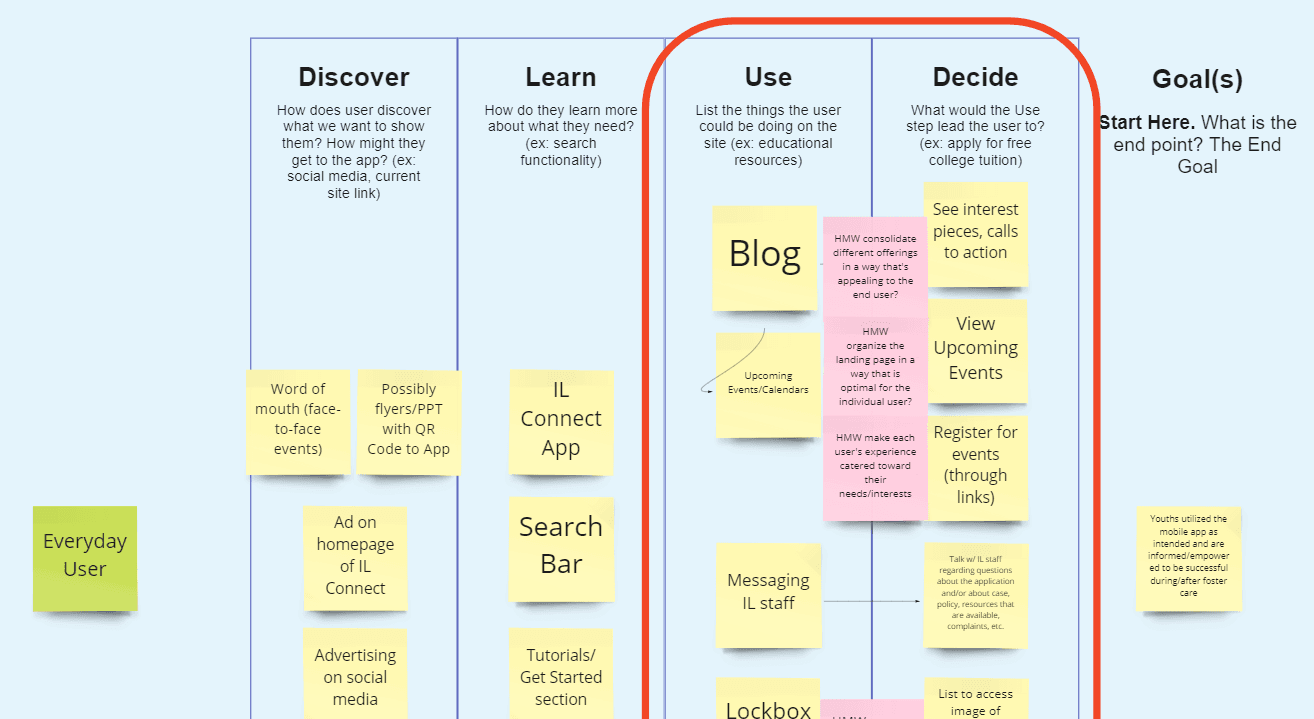
Step 3: Map & Target
In this practice, we start at our goal and move backwards. I typically find that the use/decide fields are the place where most teams target and focus their energy on. The "Use" phase asks the team to list the things that the user could be doing on the site. All the things the users could do here. The "Decide" phase asks the team what might make a user decide to accomplish your goal. For example, an alert to renew your subscription might make the user decide to renew that subscription.
Step 4: Competitor Examples & Storyboarding
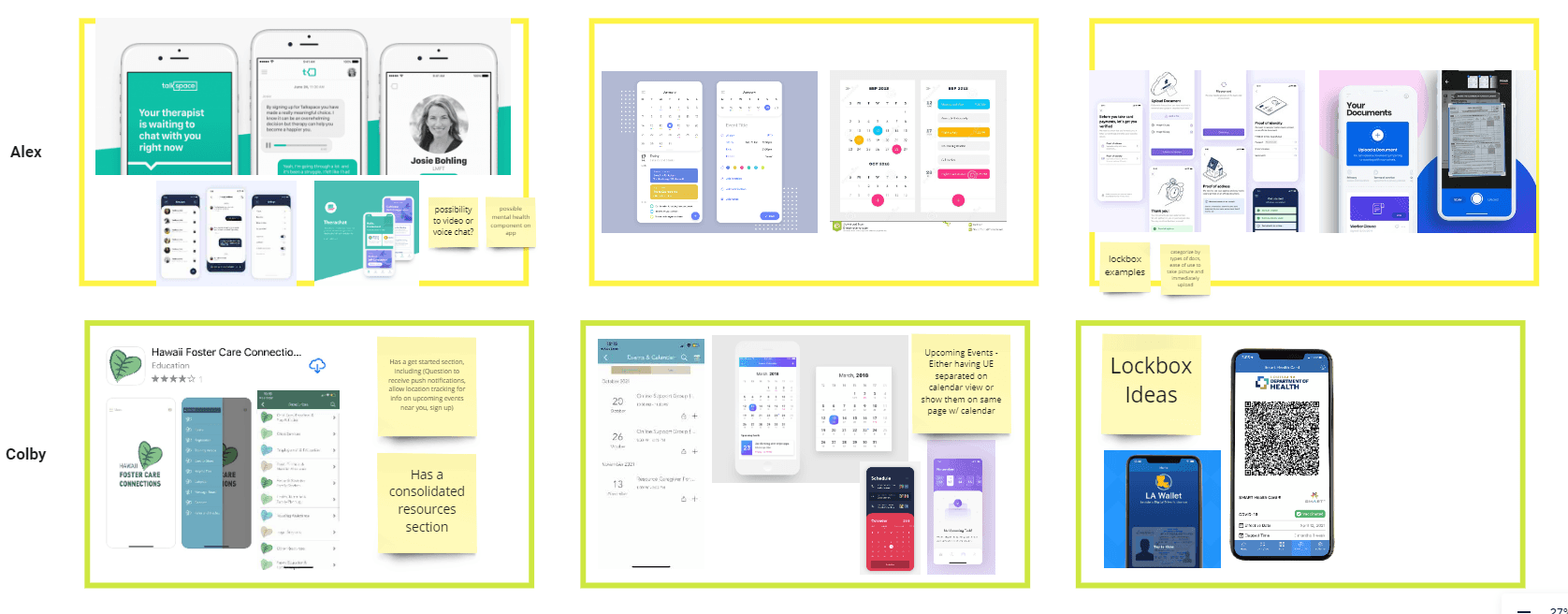
This is a fun, optional exercise where users are encouraged to find examples of existing products, and things they like about what their competitors are doing. This gives us insight to a direction we might want to take our site.
Final Step: Actors & Their Journey
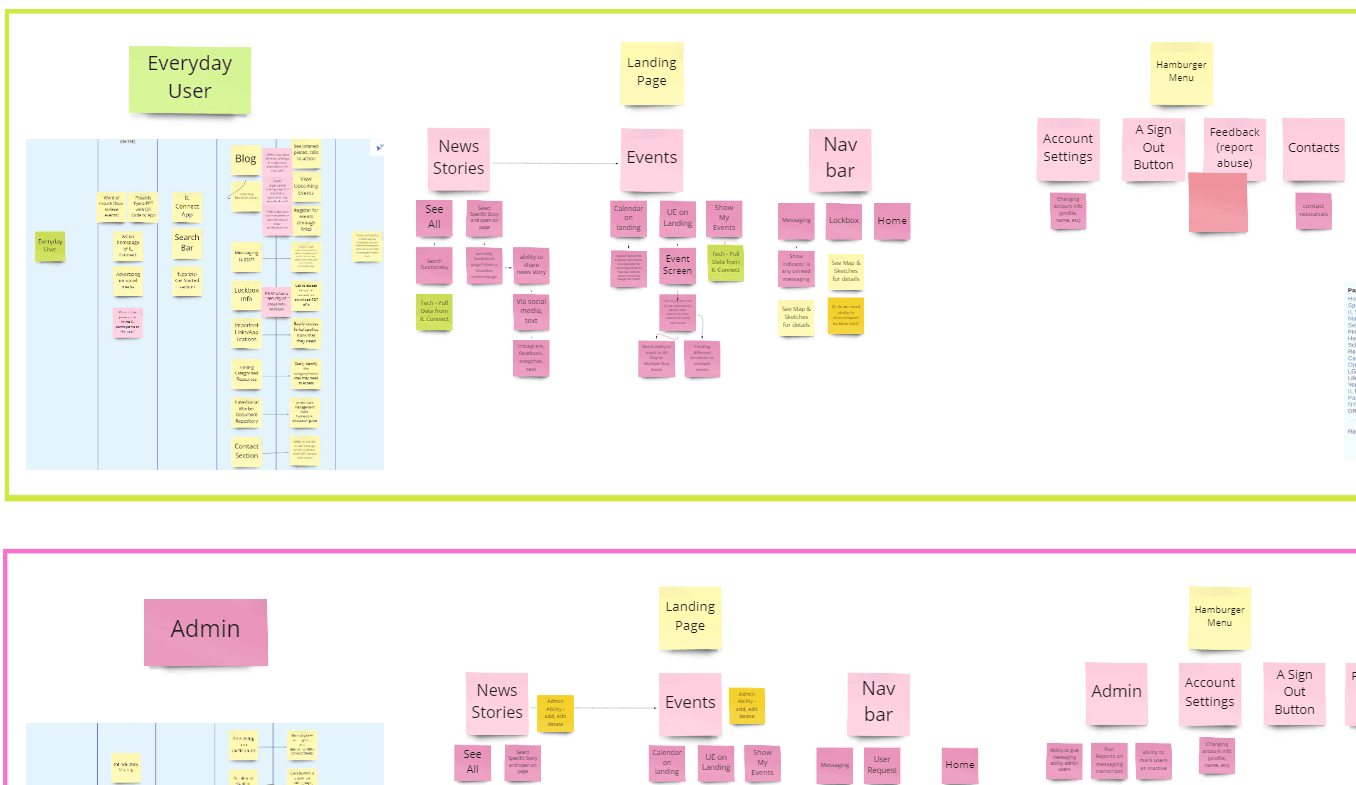
Deciding the actors (or personas) we want to user journey map is important. We might have a public user journey and an admin journey, and we want to map those experiences out.
Actors vs. Personas
Actors are less in-depth, and just walks through what their specific journey would look like. For example, a public user and an admin user. A user persona would be situational. For example, "My name is Mike and I'm looking to purchase a hat. I am a first time user of this site and don't plan on visiting this site outside of buying this hat." user journey